

A PDF assembled from several sources can repeat the same notice or appendix. Removing an unnecessary copy can simplify recognition and review, but pages that look similar are not always equivalent. This tool uses conservative matching and leaves the final choice of which copy to retain visible to you.
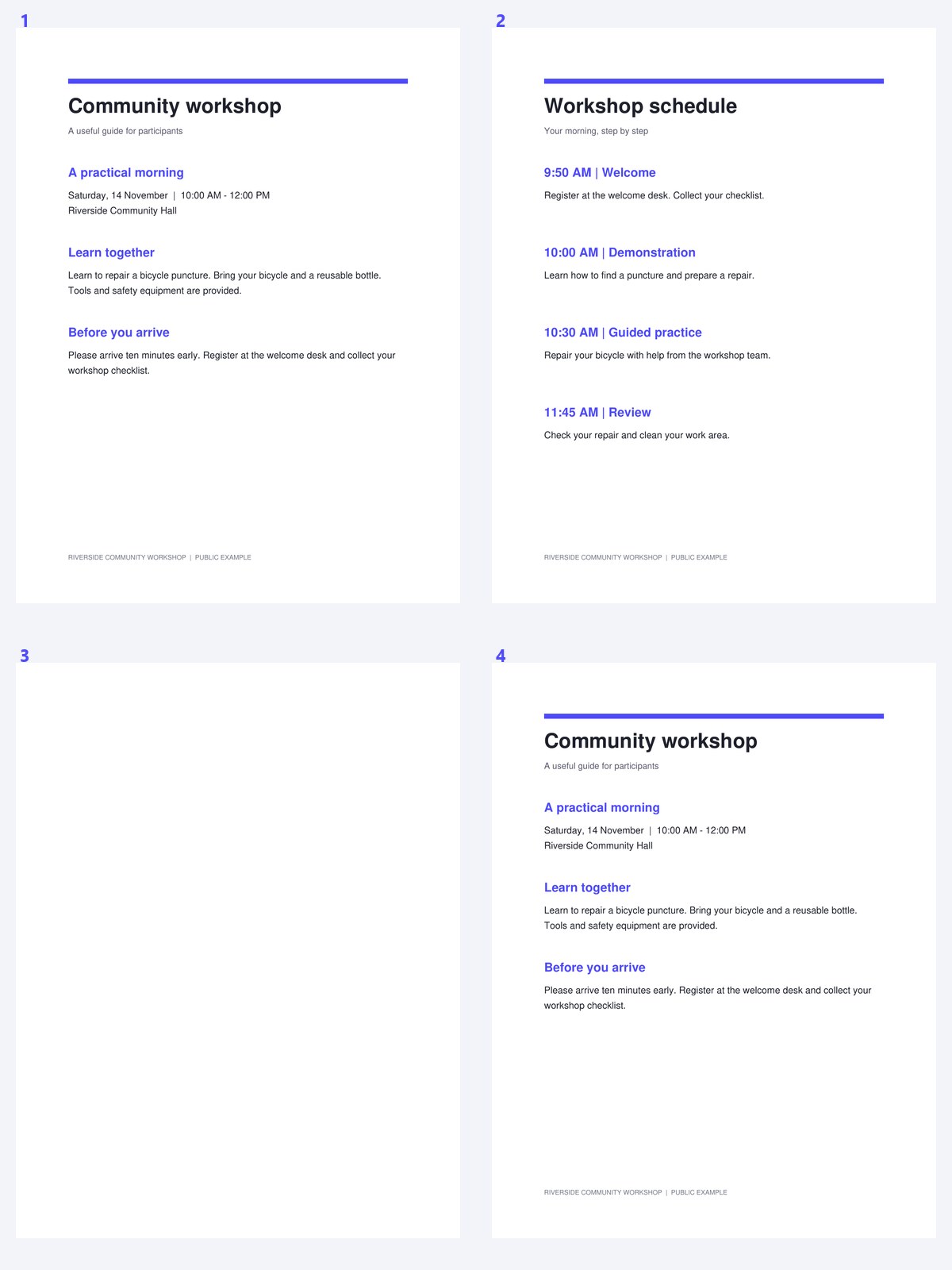
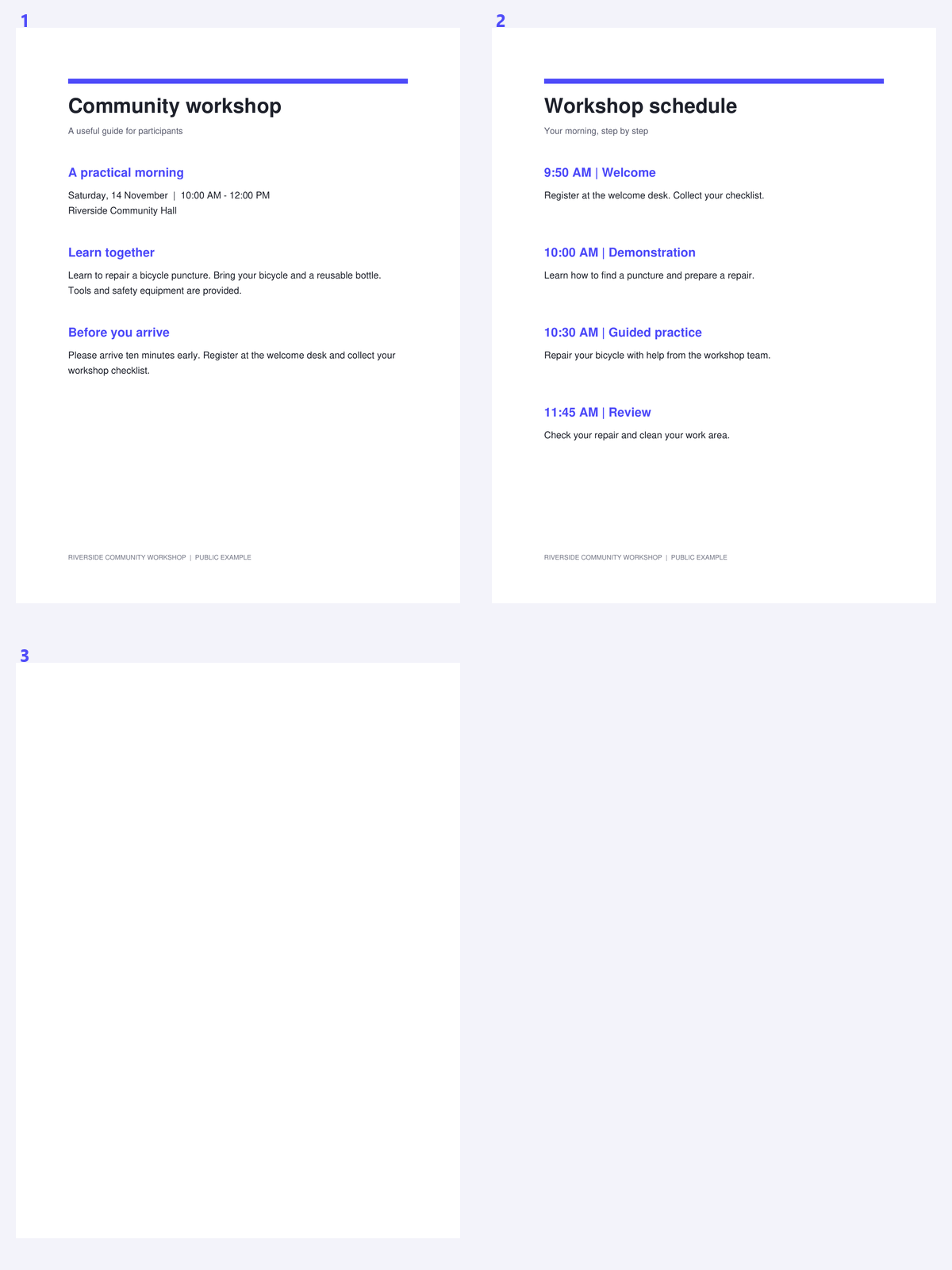
The example uses a public workshop packet containing an exact repeated notice. Compare the matching group with the saved sequence and verify that a useful copy remains.
Open the PDF and choose which copy to prefer
Open Remove Duplicate Pages from PDF and upload the document. Choose Keep first or Keep last as the starting preference for matching groups.
Think about the reading sequence before removing repeats. A notice intentionally repeated at the beginning of two sections may be useful even if the pages match.
Find duplicates and inspect the groups
Choose Find duplicates and wait for the comparison. Review each group in the preview, checking that the pages really are interchangeable for your purpose.
Matching is conservative: it checks geometry, text and pixels. Two scans with similar wording but different noise or marks may not be grouped, which is preferable to silently discarding a different record.
A repeated page can be intentional; review its role in the reading sequence.
Review the removal choices and create the result
Adjust the group choices when the suggested copy is not the one you want to keep. At least one member of each group remains.
Pages with annotations or optional layers are protected from automatic suggestions. Click Start after reviewing the groups; use manual removal only when you have separately verified any protected or unmatched page.
Do not use an exact-match tool as proof that unmatched records contain different wording.
Download and check order and references
Download the cleaned PDF and inspect the sequence at each removed duplicate. Check important links or references that previously pointed to a repeated copy.
Continue with PDF OCR if the retained pages are scans. Duplicate removal does not recognize text or determine whether two different-looking pages express the same information.
Common questions
Will it find two different scans of the same paper?
Not necessarily. Matching is conservative and includes pixel, text and geometry checks. Noise, skew or different marks can prevent a match.
Why are some pages protected?
Annotations and optional layers can carry differences that are not apparent in a simple page picture. Those pages are excluded from automatic duplicate suggestions.
Can I choose which duplicate stays?
Yes. Start with Keep first or Keep last, then review the group choices. At least one page must remain in each group.
Does duplicate removal reduce scan quality?
It removes selected duplicate page objects rather than rasterizing the retained pages. Review the saved document’s order and important references.
Prepare your next document with Remove Duplicate Pages from PDF.
A repeated page can be intentional; review its role in the reading sequence.