
Research
Reuse a digital report
Extract existing wording without another recognition pass.


Extract words already stored in a PDF’s text layer. Review the content and save one text file or separate page files; use PDF OCR instead when the page is only an image.
This page could not be previewed. Try another page or reopen the file.
No selectable text was found. For scanned pages or images, use PDF OCR to recognize the text.
Continue in PDF OCRShowing the first 200 KB in this view. Copy and download include the full text.
Use the page controls to inspect your document.
Download your result, or return to the settings to make another version.
Your PDF is uploaded once for safe text extraction. Previews and downloads reuse that result.
Compare your PDF with its extracted text, choose pages, then download one text file or separate files in a ZIP.
Save the result and check it before sharing.
Extract words already stored in a PDF’s text layer. Review the content and save one text file or separate page files; use PDF OCR instead when the page is only an image.
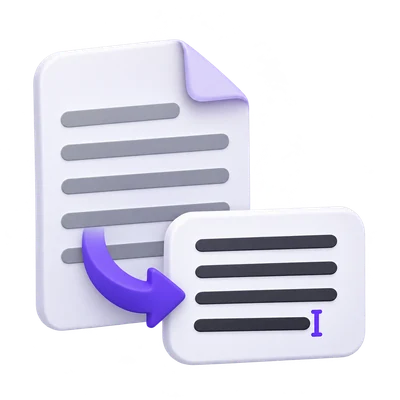
Extract existing wording without another recognition pass.
Export only the sections needed for editing or review.
Compare stored words with the visible scanned record.
Avoid a new recognition pass when a usable text layer exists.
Digital PDFs and previously recognized scans can contain actual text behind the page view. This tool extracts that stored text rather than reading the page pixels again.
A PDF can look clear and still contain only an image. If no usable text is found, use PDF OCR for recognition instead.
Limit the exported content to a useful part of the document.
Leave the page selection for the whole document, or enter the pages that belong in the export. Check the source page numbering before relying on a printed page label.
Selecting a subset affects the output, but the full source still has to satisfy the input limits.
Choose a combined TXT download or a ZIP for page-by-page work.
One text file is convenient for searching or editing a continuous document. Page separators distinguish the source pages in the combined text.
The separate-files option includes a text file for each selected page and a combined text file inside the ZIP, which is useful when page references matter.
Check columns, hyphenation and unusual characters before reuse.
A PDF stores drawing positions, not necessarily a perfect paragraph order. Tables, columns and unusual font mappings can yield text that needs rearranging or correction.
Extraction does not verify an existing OCR layer. Compare important names, numbers and dates with the visible source even when no new recognition was required.
Open one PDF up to 100 MB and 750 source pages. The full source must meet these limits even when you export a subset. Large or complex files can reach browser-memory or processing limits earlier.
The PDF preview is displayed in your browser. Starting the operation sends the document and selected settings to the server for processing. File handling is described in the Privacy Policy.
Know what to expect before you start.
Temporary server processingNo. It extracts the text already stored in the PDF. Image-only pages need PDF OCR.
PDF text can be stored as positioned pieces. Columns, tables, footnotes and unusual font mappings can produce an order that needs review in plain text.
It contains a text file for each selected page and a combined text file. The files use UTF-8 text.
No. Existing text errors can be copied into the export. Compare important wording with the visible source and correct it before reuse.