
Sharing
Meet a file-size budget
Reduce a large attachment while reviewing legibility.


Make a PDF easier to upload or share with a deliberate balance between size and readability. Choose a compression level, image resolution and color mode, then inspect the smallest text in the result.
Original page preview. Processing applies the settings to your selected pages.
Your result is ready. Download a copy, or return to adjust the settings.
Sizes compare the selected pages before and after compression.
Open Compress PDF and load the document. Note whether the next step is email, an upload limit or OCR. Keep the original so you can compare the result.
Start with Balanced, then choose an image resolution suited to the next task. For OCR preparation, inspect small text rather than judging only the full-page view.
Choose Compress PDF, download the result and compare it with the original. Compare actual bytes rather than expecting a fixed percentage reduction.
Make a PDF easier to upload or share with a deliberate balance between size and readability. Choose a compression level, image resolution and color mode, then inspect the smallest text in the result.
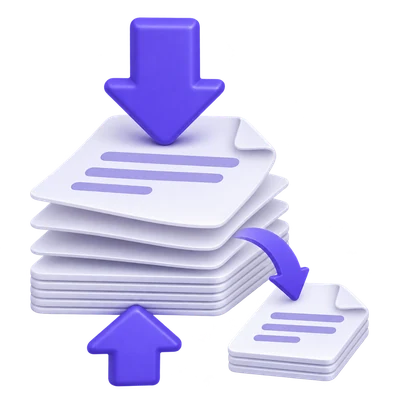
Reduce a large attachment while reviewing legibility.
Keep the high-detail source and a smaller distribution version.
Use conservative compression only when the source otherwise exceeds the destination limit.
Start with Balanced and compare the output with the source.
Smallest file favors a compact result; Higher quality favors more detail. Balanced is the starting choice, not a guarantee that every document will shrink.
Image-heavy scans can respond differently from PDFs made mostly of text and vectors. Measure the actual output and inspect it before deciding which setting is acceptable.
Avoid discarding the fine strokes needed for recognition.
Resolution choices range from 72 to 720 DPI, with 144 DPI initially selected. A lower value can reduce stored image detail, while a high value cannot invent information missing from the scan.
For a document that still needs OCR, inspect the smallest print after compression. If the original fits the OCR limit, recognizing that original can avoid an unnecessary quality-reduction step.
Choose color or grayscale according to the source.
Color mode avoids an unnecessary grayscale conversion. Choose grayscale only when losing color is acceptable for the document.
A grayscale conversion is retained even when it produces more bytes. A compact file is not the only outcome of a requested change in color.
Check file size and a representative page before sharing.
If color-mode compression does not make the candidate smaller, the tool can return the original candidate instead of a larger recompressed copy. For a page subset, that candidate is the selected-page document.
No fixed reduction percentage is promised. An already optimized file may have little room to shrink without an unacceptable loss of detail.
Open one PDF up to 200 MB and 750 source pages. The full source must meet these limits even when you export a subset. Large or complex files can reach browser-memory or processing limits earlier.
The PDF preview is displayed in your browser. Starting the operation sends the document and selected settings to the server for processing. File handling is described in the Privacy Policy.
A few answers before you get started.
Server processingNo. Some PDFs are already compact. In color mode, the tool can keep the original candidate when recompression would be larger.
Only when needed for your workflow or an input limit. Compression can remove image detail, so use the original when practical and inspect small text if you compress.
Use the optional page range to export a selected-page candidate. Confirm that the resulting PDF contains the pages you intend to keep.
Color conversion changes the document representation and is retained when requested. That change does not guarantee fewer bytes.