
Archives
Keep marginal notes
Trim the scanner border while retaining annotations that belong to the record.


Trim distracting borders and unused margins around PDF content. Draw a crop yourself, fit each page automatically, or give differently sized pages a consistent frame before recognition.
Drag the handles or enter margins. Arrow keys move the selection.
Download your cropped PDF. Your original file stays unchanged.
Select one PDF, drag it into the tool, or try the sample. Your file stays on your device.
Keep Manual crop when you want precise control. Drag the selection around the content, and use the page preview to check both ends of each line. Use Auto · Fit each page when the margins vary.
Choose Start, download the result and compare it with the original. Inspect the faintest marks, not only the boldest paragraph.
Trim distracting borders and unused margins around PDF content. Draw a crop yourself, fit each page automatically, or give differently sized pages a consistent frame before recognition.
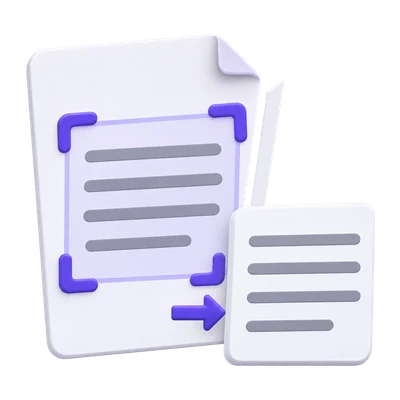
Trim the scanner border while retaining annotations that belong to the record.
Remove empty edges around scans without enlarging the original letters.
Use a consistent frame when differently sized pages need a tidy reading view.
Drag the crop around complete text and leave breathing room at its edges.
Manual crop is the starting mode. Move or resize the selection while inspecting the page; avoid cutting through letters, handwritten additions or page references.
Apply the same relative crop throughout only when the margins are consistent. Different source sizes can produce different physical output dimensions from the same relative selection.
Let visible content suggest a separate crop for each page.
Auto · Fit each page analyzes the visible page, then adds padding around the detected content. Start with the default padding and adjust it when a heading, stamp or faint note needs more space.
Detection is based on visible marks, not recognition of meaningful text. Shadows and scan noise can widen the crop, while very faint marks can be missed. Review the suggested boundaries before export.
Use one physical page size without enlarging or shrinking the text.
Auto · Same size considers the content across the document and uses a shared physical crop. Overlay all pages helps you inspect the combined extent before settling on a frame.
Content stays at its original scale. The common frame can include extra whitespace on a sparse page; it is not a page-resizing or text-reflow tool.
Cropping preserves the source drawing content rather than creating screenshots.
The output changes page boundaries. Existing text can remain selectable and original image pixels are not resampled just to crop a margin. A scanned page still needs OCR to gain recognized text.
Inspect annotations and forms in the downloaded copy. If a complex annotation prevents a safe shared-frame export, try Manual crop or Fit each page.
Open one PDF up to 300 MB and 750 source pages. The full source must meet these limits even when you export a subset. Large or complex files can reach browser-memory or processing limits earlier.
Document processing takes place in your browser without uploading the PDF for this operation. Save the result and keep the original separately. Choosing a server-based next tool starts a separate processing step.
A few answers before you get started.
On your deviceA focused page can remove distracting borders, but cropping cannot recover blurred letters or guarantee better recognition. Keep complete lines and review the recognized text.
No. Cropping controls the visible page area. Hidden source content can remain in the PDF, so do not use this tool to remove confidential information.
Yes. Use separate manual selections or Auto · Fit each page. Choose Auto · Same size when consistent physical page dimensions matter instead.
No. Cropping prepares the visible page area. Run PDF OCR afterward if the source has no usable text layer.